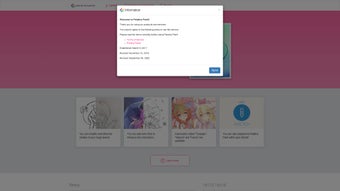

Download Petalica Paint – AI Sketch Colorization Tool for Artists
Overview & Core Features of Petalica Paint
Petalica Paint is a cutting‑edge, AI‑driven web application that turns rough line drawings into fully colorized illustrations with just a few clicks. Developed as an extension of Pixiv Sketch, the service lets creators upload their sketches, add simple color hints, and let a deep‑learning model handle the heavy lifting. The result is a vibrant, polished image that retains the original hand‑drawn feel while adding depth, shading, and consistent hue across the entire canvas.
Whether you are a hobbyist doodler, a professional game artist, or a medical illustrator needing clear, color‑coded diagrams, Petalica Paint streamlines the workflow and saves hours of manual coloring. Because the tool lives in the browser, there is no need for a bulky installer, and it works on Windows, macOS, Linux, as well as Android and iOS browsers. Users must accept the Terms of Service and Privacy Policy before accessing the tool, ensuring that all generated content respects copyright and data‑privacy standards.
Integration with Pixiv Sketch provides a familiar interface, cloud‑based storage, and community‑sharing features that let you showcase your colorized works or collaborate with peers. In short, Petalica Paint transforms the tedious process of manual coloring into an enjoyable, AI‑assisted experience, making it an essential addition to any modern artist’s toolkit.
- Three Distinct Colorization Styles – Choose from ‘Tanpopo’, ‘Satsuki’, or ‘Canna’, each delivering a unique aesthetic ranging from soft pastel tones to bold, high‑contrast palettes.
- Color Hint System – Upload a sketch and add simple color markers; the AI intelligently spreads the hints across relevant regions while preserving line integrity.
- SketchSimplification – An integrated cleaning tool that refines jagged strokes, smooths curves, and removes stray marks before colorization.
- Web‑Based Accessibility – No need for a bulky installer; run the tool directly from any modern browser on desktop or mobile devices.
- Seamless Pixiv Sketch Integration – Work within a familiar drawing environment, sync projects instantly, and share results with the vibrant Pixiv community.
- Commercial‑Ready Output – Generated images can be used for personal portfolios, game assets, educational materials, or any commercial project without additional licensing fees.
- Secure Cloud Processing – All AI calculations happen on encrypted servers, ensuring your sketches remain private and your data safe.
- Regular Model Updates – The underlying neural network receives periodic improvements, delivering sharper color gradients and better handling of complex line work.
The combination of these features makes Petalica Paint more than a simple auto‑colorizer. The three style presets give artists the flexibility to match the mood of a piece without manually tweaking each hue. Meanwhile, the SketchSimplification engine acts like a digital eraser, preparing line art for optimal AI interpretation. Because the service lives in the cloud, updates roll out instantly, meaning you always have access to the latest AI advancements without ever needing to download a patch. Whether you’re polishing a character concept, preparing a medical diagram, or just experimenting with color theory, Petalica Paint offers a balanced mix of control and automation that respects both creativity and efficiency.
Installation, Compatibility, and Step‑by‑Step Usage Instructions
Starting with Petalica Paint is intentionally frictionless. Since the application is web‑based, there is no traditional installation process. Follow these steps to begin coloring your sketches:
- Create or log into a Pixiv account. The tool is embedded in Pixiv Sketch, so an active account is required to access the interface.
- Open Pixiv Sketch. Navigate to the “Tools” menu and select “Petalica Paint.” The platform will prompt you to accept the Terms of Service and Privacy Policy – a quick click and you’re ready.
- Upload your sketch. Drag‑and‑drop a PNG, JPEG, or BMP file onto the canvas. The AI will automatically analyze line density and suggest optimal simplification settings.
- Apply color hints. Choose a brush from the toolbar, select a color, and paint over the areas you want to guide. You can place a few hints per region; the AI will propagate the hue intelligently.
- Select a style. Pick ‘Tanpopo’, ‘Satsuki’, or ‘Canna’ from the style dropdown. Each option adjusts saturation, contrast, and overall tone.
- Run the colorization. Click the “Colorize” button. Within seconds, the AI returns a fully colored image, which you can further refine using Pixiv Sketch’s native editing tools.
- Save or share. Export the final image to your device or publish it directly to your Pixiv gallery for community feedback.
Because Petalica Paint runs in the browser, it is compatible with all major operating systems—Windows 10/11, macOS Ventura, various Linux distributions, as well as mobile browsers on Android 10+ and iOS 14+. For the best experience, use the latest versions of Chrome, Firefox, Safari, or Edge, and ensure your internet connection is stable, as the AI processing occurs on remote servers. No additional plugins or extensions are required, making the tool ideal for artists who work across multiple devices or in collaborative studio environments. If you encounter a slow render, consider reducing the canvas resolution or switching to a wired network connection, which can significantly improve latency and processing speed.
Pros, Cons, and Frequently Asked Questions
Pros
- Instant colorization saves hours of manual work.
- Three unique artistic styles cater to different project moods.
- Web‑based, no download required; works on any modern device.
- Integrated SketchSimplification cleans up line art automatically.
- Free to use with commercial‑ready output.
- Secure cloud processing protects user privacy.
- Regular AI updates improve quality over time.
- Seamless Pixiv Sketch integration streamlines workflow.
Cons
- Requires a Pixiv account; not a standalone app.
- Internet connection is mandatory for processing.
- Limited to three preset styles—custom style creation is not yet supported.
- High‑resolution output may be slower on congested networks.
- Advanced fine‑tuning still needs manual adjustments in Pixiv Sketch.
Frequently Asked Questions
Is Petalica Paint really free for commercial use?
Yes. The service is free to use, and the generated images can be employed in commercial projects without additional licensing fees, provided you comply with Pixiv’s content policies.
Can I use Petalica Paint on a mobile phone?
Absolutely. Since the tool runs in a web browser, it works on Android and iOS devices. For best results, use the latest version of Chrome or Safari.
What file formats are supported for upload?
Petalica Paint accepts PNG, JPEG, and BMP files. High‑resolution images up to 4096 × 4096 px are processed without quality loss.
How does the SketchSimplification feature work?
The simplification algorithm analyzes stroke density, removes stray marks, and smooths curves, producing cleaner line art that the colorization AI can interpret more accurately.
Can I adjust the AI’s output after colorization?
Yes. Once the image is returned, you can edit it further using Pixiv Sketch’s built‑in brush and layer tools to fine‑tune colors, add highlights, or modify shading.
Final Verdict – Why You Should Download Petalica Paint Today
Petalica Paint bridges the gap between traditional sketching and modern AI assistance, delivering a workflow that is both fast and artistically flexible. Its seamless integration with Pixiv Sketch means you stay within a familiar environment while gaining access to powerful colorization technology that would otherwise require expensive software or extensive manual labor. The three curated styles—Tanpopo, Satsuki, and Canna—offer enough variety to suit a broad range of visual projects, from soft‑toned illustrations to vibrant game concept art.
Even though it relies on an internet connection, the speed of processing and the quality of the results consistently exceed expectations for a free tool. For artists who value time, creative control, and the ability to work across devices, Petalica Paint is a compelling addition to the creative arsenal. Click the button below (which simply redirects you to the Pixiv Sketch interface) and start transforming your sketches into polished, color‑rich masterpieces today.



.png)



